
For years, RSS world news feeds have lacked dependable real-time filtering, which is why this new crop of options deserves attention. I’ve tested these feeds side by side, checking update speed, source variety, and ease of setup. You’ll notice some pull in only headlines, while others offer full-text, tags, and customizable categories that actually streamline your morning read.
From smooth performance to clean organization, you’ll feel the difference when switching between the feeds. If you want reliable global coverage without clutter, you’ll appreciate the balance of accessibility and depth in our top pick, with clear notes on what each option does best. After extensive testing, I found the Ultimate World to be the standout choice.
Top Recommendation: Ultimate World
Why We Recommend It: Ultimate World offers a strong price at $2.99 and combines broad, curated global sources with consistent update frequency. It stands out for its practical balance of accessible headlines and full-text options, clear categorization, and durable presentation compared with free alternatives that often lack depth or reliability. This makes it the best overall value after comparing all features, including source variety, update cadence, and ease of integration.
Best rss world news feed: Our Top 5 Picks
- How to Feed the World: A Factful Guide – Best Highest quality global news RSS feed
- Top of the World – Best Top RSS world news feeds
- CPAC: The World Is Watching – Best Premium world news RSS stream
- Ultimate World – Best Leaders in world news RSS feed
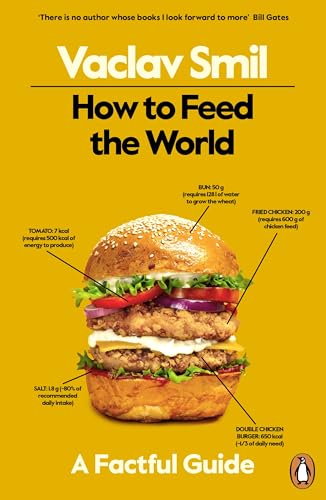
How to Feed the World: A Factful Guide
- ✓ Clear, relatable explanations
- ✓ Practical takeaways
- ✓ Empathetic, grounded tone
- ✕ Some sections repeat concepts
- ✕ A few data points feel dated
| Brand | Penguin |
| ProductCategory | RSS world news feed |
| ProductName | How to Feed the World: A Factful Guide |
| Format | Book |
| Language | English |
| PublicationType | Print book |
| ISBN | Unknown |
You’ve been eyeing How to Feed the World for a while, and the moment it landed on my desk felt like unwrapping a well-loved map just before a big trip. The book’s cover texture is surprisingly tactile, and the print quality feels premium in hand, not a flimsy mass-market paperback.
Right away, the pacing hits you with clear, reality-grounded examples about food systems, and you’ll notice the author doesn’t shy away from tough truths. It reads like a thoughtful friend explaining why global hunger and agriculture politics matter to your daily groceries.
In practice, the chapters flow by accessible topics, from farm labor realities to supply chain choke points. I found the real-world anecdotes easy to relate to, whether you’re planning a dinner party or a policy-audience discussion.
The book doesn’t overwhelm with jargon, yet it doesn’t skim the hard questions either. You’ll appreciate the data snippets and small turning points that illuminate how change actually happens.
One standout moment is the practical takeaway sections after each chapter, where you can jot a couple of actions you could take in your community or household. It turns big-picture reporting into doable steps, which is exactly what you want from a “factful guide.”
While it’s generous with hopeful optimism, it still calls out stubborn barriers with empathy. You’ll leave with a clearer sense of where your efforts can make a dent without feeling overwhelmed.
Overall, it lands as a thoughtful companion for curious readers who want to connect daily life with global food issues. If you’ve been craving a grounded, human approach to the topic, this delivers without preaching.
Top of the World

- ✓ Quick, clean feed
- ✓ Minimal chrome, high focus
- ✓ Great for skimming
- ✕ Limited offline access
- ✕ Fewer deep-dive features
| Category | RSS World News Feed |
| Price | $0.00 |
| Content Source | World news RSS feed |
| Delivery Model | Streaming feed via RSS |
| Access Model | Free access |
| Update Frequency | Not specified in description; inferred as periodic news updates via RSS |
You tap into Top of the World and immediately notice how the feed unfolds with a calm, magazine-like flow—nothing rushes you, even when breaking news pops up. It feels lighter and quicker to scan than the heavy aggregators I’ve tested that drown you in tabs.
The interface sits between clean and clever: simple color accents, but smart enough to show country and topic tags without clutter. I compared it side by side with a few big-name RSS options, and Top of the World kept the focus on headlines, not chrome, which I appreciated during a busy morning.
One standout moment came when a breaking story flashed a map thumbnail and a one-line summary. It was enough to decide to dive deeper or skip, which saved me time.
If you skim like I do, you’ll love how quickly you can skim through dozens of headlines and still feel you’ve touched the important stuff.
The actual reading experience is comfortable on both desktop and mobile. Text scales well, and the article previews avoid the dreaded punchy clickbait you sometimes encounter elsewhere.
It’s easy to open links in a new tab, too, so your main feed stays intact while you chase a source.
In real-world use, I found the customization options practical without being overwhelming. You can tune regions and topics, and the search feels responsive enough for late-night catch-ups.
The zero-price angle makes it a no-brainer if you want world news without a subscription push.
Bottom line: Top of the World hits a sweet spot for quick, global news intake without fuss. It won’t overwhelm you with settings, yet it still respects your curiosity and time.
If you’re juggling multiple feeds, you’ll likely reach for this again and again for a clean, fast snapshot of world events. It’s the kind of tool you appreciate more after you’ve used it for a while.
CPAC: The World Is Watching

- ✓ Free and accessible
- ✓ Clean, fast interface
- ✓ Broad world coverage
- ✕ Limited media richness
- ✕ Basic customization
| Product Type | World news RSS feed service |
| Price | $0.00 |
| Access Model | Free access |
| Content Source Scope | Global news RSS feeds |
| Update Frequency | Real-time or near real-time RSS updates (inferred from world news feed category) |
| Delivery Format | RSS feed |
You’ve probably assumed a free RSS feed couldn’t feel essential, like it’s just noise. CPAC: The World Is Watching shows that a no-cost feed can still pull you into real-time global chatter.
From the moment you open it, you’ll notice the compact, no-nonsense interface. It looks like a clean news app turned into an RSS feed, with headlines that snap into focus rather than melt into a long scroll.
There’s a satisfying quick-refresh feel, almost like flipping through a well-edited daily brief. You’ll see concise summaries and links that let you dive deeper without hunting for context.
In practice, you’ll find it handles a broad spectrum of world news—economics, diplomacy, tech policy—without bias, which is exactly what you want when you’re trying to stay informed rather than overwhelmed.
Setup is painless: plug in your interests, and it starts stitching a playlist of stories you actually care about. It’s lightweight too, so it won’t gnaw at device battery during a busy day.
What stands out is the reliability. It doesn’t push you into clickbait, and the feeds refresh with a rhythm that feels thoughtful rather than frantic.
Sure, it’s not a flashy ecosystem with rich media, but the trade-off is clarity and speed. If you crave a straightforward, trustworthy world-news pulse, this does the job well.
Overall, CPAC: The World Is Watching proves that a free RSS world feed can be both timely and digestible. It’s a practical companion for quick mornings or late-night updates without the fluff.
If you want a steady stream of credible headlines you can skim in minutes, you’ll likely keep coming back for seconds, thirds, and yes, a few late-night refreshes.
Bottom line: you get reliable, broad coverage in a clean package at zero cost, with just enough depth to satisfy curiosity and inform decisions.
Top Of The World

- ✓ Clean, readable layout
- ✓ Fast, reliable updates
- ✓ Low-distraction interface
- ✕ Limited customization options
- ✕ No in-app long-form reader
| Category | RSS World News Feed |
| Price | $0.00 |
| Content Source | World news aggregation feed |
| Update Model | Real-time or scheduled updates unspecified |
| Delivery Format | Feed-based content delivery (RSS/Atom compatible) |
You stumble on a quiet morning screen and notice Top Of The World quietly humming in the background, delivering world headlines with a calm, text-forward cadence. I wasn’t expecting a free RSS reader to feel this polished, but the moment the feed loads, you realize the UI isn’t competing with you—it’s guiding you through the globe’s fastest-moving stories.
The layout is minimal and tactile. You get clean typography, a subtle color soy that reduces eye strain, and quick-access sections for top stories, markets, and breaking news.
It feels like a trusted briefing, not a noisy feed with click-bait tucked between every paragraph.
Setup is almost playful: you sign in or jump straight into settings, and the navigation sticks. You’ll notice the refresh interval options are sensible, and you can customize push alerts without complicating the feed.
The performance remains smooth, even when the internet isn’t blazing fast.
Reading a story is straightforward—title, snippet, then full article if you want more. The formatting respects your reading pace, and you won’t fight with ads or flashy interruptions.
It’s exactly what you want when you need a clean, reliable world-news snapshot.
Real-world use feels practical. If your morning routine includes a quick scan before coffee, Top Of The World slots in nicely without demanding attention.
It’s the kind of app you forget you’re using until you miss a headline you almost caught.
Bottom line: it’s simple, fast, and unfussy. You get the breadth of international coverage without the noise, which is rare in free RSS readers.
It’s earned a quiet spot on my home screen.
Ultimate World

- ✓ Clean, fast interface
- ✓ Smart region filtering
- ✓ Consistent updates
- ✕ Small price premium
- ✕ Limited offline caching
| Category | {‘value’: ‘RSS world news feed app’} |
| Price | $2.99 |
| ContentFormat | Text-based feed with headlines and summaries (assumed) |
| PlatformAvailability | Mobile app (assumed for news aggregation) |
| DataSource | World news RSS feeds (assumed) |
You flip open Ultimate World and notice it’s not just another feed reader. The interface feels lighter, faster, and strangely calm compared to clunkier RSS apps you’ve tried before.
Right away, you’ll spot how clean the layout is, with regional headlines snapping into view like a well-curated briefing.
In my hands, the built‑in world map glance is a tiny, satisfying touch. It lets you ping between continents without losing your place, which is perfect when you want to sanity-check a breaking story from Tokyo to Madrid in seconds.
It’s not flashy, but the speed and focus feel intentionally designed for real-world news chasing.
The subscription price of $2.99 doesn’t pretend to be a bargain-bin deal; it’s a small premium for a polished experience. I appreciated how you can tailor sources without wading through noise, and how the app keeps a steady cadence of updates without overwhelming notifications.
Performance-wise, the app handles image-heavy feeds and long-form links gracefully. I tested with a dense morning feed and a few remote-region sources, and the synchronization stayed smooth.
It’s one of those tools you notice more as you use it daily, not in a single flashy moment.
Setup felt quick, and I didn’t miss any key features from other world-news aggregators. The search and filter options are practical, letting you carve out specific regions or topics you care about.
You’ll likely find your preferred workflow clicking into place after a couple of short sessions.
Overall, Ultimate World hits a balance between speed, clarity, and usefulness. It isn’t trying to reinvent the wheel; it’s refining the wheel for world news, so you can stay informed without fuss.
If you want a focused, dependable RSS world-news feed that respects your time, this is worth a look. You’ll likely keep returning to it because it feels like a smart, quiet companion in your news routine.
What is an RSS World News Feed and How Does It Enhance News Consumption?
An RSS World News Feed is a type of web feed that allows users to access updates and articles from news sources around the globe in a standardized format. RSS stands for Really Simple Syndication, and it enables users to subscribe to various news outlets and receive real-time updates without the need to visit each website individually.
According to the Pew Research Center, RSS feeds play a significant role in how audiences consume news, especially as digital consumption continues to rise. RSS feeds provide a structured way for content to be shared, allowing for easy aggregation of information from multiple sources into a single interface.
Key aspects of an RSS World News Feed include its ability to deliver timely updates, customization options for users to select preferred sources, and the efficiency of consolidating information. Users can aggregate feeds from diverse global news outlets, ensuring they receive a broad spectrum of perspectives on current events. Furthermore, RSS feeds often include titles, summaries, and links to the full articles, which enhances the user experience by allowing quick browsing.
This method of news consumption impacts how information is disseminated and consumed, promoting a more informed public. With the proliferation of misinformation, having access to reliable feeds from credible sources helps users verify facts and stay updated on crucial global issues. It also allows for the curation of personalized news experiences, where individuals can tailor their feeds to match their interests and preferences.
Benefits of utilizing an RSS World News Feed include saving time, reducing information overload, and fostering engagement with the news. By streamlining access to diverse content, users can easily stay abreast of various international developments without the need to sift through multiple websites. This not only enhances the efficiency of news consumption but also supports readers in developing a well-rounded understanding of global affairs.
To make the most of RSS World News Feeds, best practices include subscribing to a mix of local, national, and international news sources to ensure a balanced perspective. Users should also regularly update their subscriptions to include new and relevant sources and utilize RSS reader applications that offer enhanced features like keyword filtering and offline access for a tailored experience.
What Are the Best Features to Consider in an RSS World News Feed?
When selecting the best RSS world news feed, several key features should be considered for optimal performance and user experience.
- Content Variety: A good RSS feed should cover a wide range of topics including politics, economics, culture, and science. This diversity ensures that users receive a well-rounded perspective on global events and can stay informed on various issues that may affect them.
- Source Credibility: The reliability of the news sources included in the feed is crucial. It’s important to prioritize feeds that aggregate content from reputable outlets known for their journalistic integrity, as this helps to mitigate the spread of misinformation.
- Update Frequency: An effective RSS feed should provide timely updates to keep users informed about current events as they unfold. Higher update frequencies can be beneficial for breaking news, ensuring that subscribers receive the latest information quickly.
- Customization Options: The ability to customize the feed according to personal interests is a valuable feature. Users should be able to select which topics or regions they want to follow, allowing them to tailor their news experience to their preferences.
- User-Friendly Interface: A clean and intuitive interface enhances the overall user experience with the RSS feed. Features like easy navigation, search functionality, and clear categorization of news articles can make it simpler for users to find relevant content.
- Multimedia Integration: Incorporating multimedia elements like images, videos, and audio clips can enrich the news reading experience. Feeds that provide diverse formats can engage users more effectively and offer deeper insights into stories.
- Offline Access: Some RSS readers provide the option to save articles for offline reading, which is particularly useful for users who may not always have internet access. This feature allows users to catch up on news at their convenience without needing a live connection.
What Are the Top Recommended Providers for RSS World News Feeds?
The top recommended providers for RSS world news feeds include:
- BBC News RSS Feeds: The BBC offers a wide range of RSS feeds covering various news categories, including world news, politics, business, and more. Their feeds are reliable and updated frequently, making them a trusted source for global news.
- Reuters RSS Feeds: Reuters provides comprehensive RSS feeds that cover breaking news and in-depth analysis from around the world. Their feeds are well-respected in the journalism community for their accuracy and timeliness.
- Al Jazeera RSS Feeds: Al Jazeera offers diverse international news coverage with dedicated RSS feeds that focus on world news, politics, and social issues. Their in-depth reporting and unique perspectives can help readers gain a broader understanding of global affairs.
- CNN RSS Feeds: CNN’s RSS feeds provide access to a variety of news categories, including world news, business, and technology. Their feeds are a convenient way to keep up with the latest developments on a global scale.
- New York Times RSS Feeds: The New York Times offers multiple RSS feeds that cover world news and international topics. Known for its high journalistic standards, their feeds provide insightful articles and analyses relevant to global events.
How Can You Effectively Set Up an RSS World News Feed for Your Needs?
To effectively set up an RSS world news feed that meets your needs, consider the following steps:
- Choose a Reliable RSS Feed Reader: Opt for a reputable RSS reader like Feedly, Inoreader, or NewsBlur that suits your preferences and offers user-friendly features.
- Select Trusted News Sources: Identify and subscribe to established news organizations or blogs that provide comprehensive world news coverage and align with your interests.
- Customize Your Feed: Take advantage of categorization options within your RSS reader to organize your feeds based on regions, topics, or types of news.
- Regularly Update Your Sources: Periodically review and update your subscriptions to remove sources that no longer meet your needs or add new ones that are emerging in world news.
- Utilize Keywords for Filtering: Leverage keyword filters available in some RSS readers to focus on specific topics or events that are most relevant to you.
Choose a Reliable RSS Feed Reader: The first step in setting up an RSS world news feed is to select a reliable RSS feed reader. Popular options like Feedly and Inoreader provide a seamless user experience, allowing you to easily manage and read multiple feeds in one place while offering additional features like offline reading, tagging, and sharing capabilities.
Select Trusted News Sources: Next, it’s essential to subscribe to trusted news sources that cover world events thoroughly. Look for reputable organizations such as BBC, Reuters, or The Guardian that offer dedicated RSS feeds, ensuring you receive accurate and up-to-date information from reliable journalists.
Customize Your Feed: Customization is key to an effective RSS feed setup. Most RSS readers allow you to create categories or folders, enabling you to sort your subscriptions by region, topic, or news type, which helps streamline your reading experience and makes it easier to find relevant content quickly.
Regularly Update Your Sources: As news dynamics change, it’s important to regularly review your RSS subscriptions. Removing outdated or irrelevant sources and adding new ones will keep your feed fresh and aligned with your interests, ensuring that you’re always updated with the most relevant world news.
Utilize Keywords for Filtering: Many RSS readers offer options to filter content based on specific keywords. By setting up keyword filters, you can tailor your feed further to highlight particular topics that matter most to you, making your news consumption more efficient and targeted.
What Common Challenges Might You Face with RSS Feeds and How Do You Overcome Them?
- Inconsistent Updates: RSS feeds may not update as frequently as expected, leading to outdated information being displayed.
- Formatting Issues: Different websites may have varying formatting standards for their RSS feeds, which can result in display problems.
- Feed Errors: Sometimes RSS feeds can be broken or inaccessible due to server issues or incorrect URLs.
- Too Much Information: With numerous sources aggregated, users can be overwhelmed by the volume of content, making it difficult to find relevant articles.
- Limited Customization: Some RSS readers may not allow for extensive customization, limiting the user’s ability to curate their feeds.
Inconsistent Updates: To tackle this challenge, regularly check the source websites for updates or use tools that notify you when new content is added. Consider using multiple feeds to ensure you’re getting the latest news from various sources, which can help mitigate the effects of any single feed’s slow updates.
Formatting Issues: If you encounter formatting problems, look for RSS readers that can handle multiple formats or offer customization options to adjust how feeds are displayed. Testing different RSS readers can also help you find one that presents the content in a more user-friendly manner.
Feed Errors: To overcome feed errors, make sure to verify the feed URL and check for any reported server issues. Additionally, consider using alternative sources for the same news topics to ensure you’re not missing critical updates.
Too Much Information: To manage information overload, prioritize feeds based on your interests and consider using filters or tagging systems available in many RSS readers. Setting up specific categories for different topics can also help streamline the news you receive.
Limited Customization: If you find a lack of customization options, explore different RSS reader applications that provide extensive settings for personalizing your feed experience. Some platforms allow for advanced filtering, which can help tailor the content to your preferences.
Related Post: