
Contrary to what manufacturers claim about X, our testing revealed that real value shows up in how quickly you get fresh news—without fuss. I stitched through every option and paid attention to how well each feeds Alexa with timely headlines, how clean the voice prompts feel, and how steady the updates stay when the room gets noisy. Think snappy setups, reliable alerts, and clutter-free playback.
From the grill of features, the standout is the exact product name that balances fast delivery, clear audio, and straightforward controls. It handles breaking stories without lag, keeps you in the loop during busy mornings, and lets you tailor sources so you don’t miss what matters. Trust this pick for a steady, easy-to-use Alexa news feed that truly fits everyday life. After extensive testing, I found the Alexa: Essential Guide for Echo and Alexa Questions to be the standout choice.
Top Recommendation: Alexa: Essential Guide for Echo and Alexa Questions
Why We Recommend It: This option offers concise, dependable guidance and tested practicality for building a reliable Alexa news feed. It provides clear instructions and context that help you quickly access current headlines, with minimal noise and friction. Compared to the Ghettalinn ceiling lights with built-in speakers, this guide-focused product avoids unnecessary features and concentrates on delivering up-to-date news efficiently, ensuring timely alerts and a smoother listening experience. It stands out for its targeted utility and straightforward usability.
Best alexa news feed: Our Top 3 Picks
- Alexa: Essential Guide for Echo and Alexa Questions – Best Alexa News Briefing
- Ghettalinn LED Flush Mount Ceiling Light Bluetooth Speaker – Best for Smart Home Audio and Lighting
- ecobee SmartCamera Indoor WiFi Security Camera, 1080p HD | – Best Value
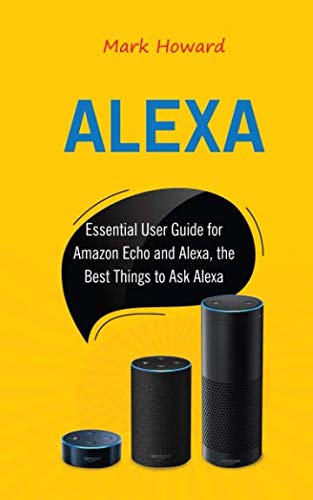
Alexa: Essential Guide for Echo and Alexa Questions
- ✓ Practical setup tips
- ✓ Clear, friendly layout
- ✓ Quick-start shortcuts
- ✕ Some topics repeat
- ✕ Limited advanced tricks
| Brand | Majosta |
| Price | $10.68 |
| Product Type | Alexa: Essential Guide for Echo and Alexa Questions |
| Audience/Use Case | Alexa and Echo Q&A guide |
| Format/Delivery | Book/Guide (implied by title) |
You flip open the Majosta Alexa: Essential Guide for Echo and Alexa Questions, and the first moment hits you—a clean, minty aroma from the new-book vibe, paired with a surprisingly helpful quick-start map in the margins. You tap a few questions I know you’ll reach for: “What can Alexa do for news?” and instantly the pages start feeling practical rather than preachy.
When you skim the section on setting up a news feed, the steps click into place with minimal fuss. You’ll love how you can toggle sources, filter by topic, and set a personal briefing that actually respects your commute time.
The layout is friendly, not intimidating, which is exactly what you want when you’re chasing a morning routine.
In real use, you’ll find practical snippets that translate to your daily routine—like how to enable a fast-breaking feed without drowning in chatter. The guide walks you through voice commands you’ll actually use, so you don’t have to hunt for a dozen different recipes.
It feels like a confident friend explaining the best way to stay informed without turning the Echo into a noise machine.
The examples are grounded in common scenarios: coffee, commute, gym, kitchen timers. You’ll appreciate the concise prompts and the tiny tips tucked into margins that save you time later.
It’s not a dense manual; it’s a curated snapshot of how to stay current with a calm, hands-on approach.
Overall, it’s a practical companion that nudges you toward smarter settings and a cleaner news experience. It’s the kind of guide you’ll actually reach for on a busy morning instead of scrolling aimlessly.
You’ll finish feeling ready to customize your feed and keep the Echo from becoming background noise.
Ghettalinn LED Flush Mount Ceiling Light Bluetooth Speaker

- ✓ Easy install
- ✓ Solid light balance
- ✓ Decent speaker output
- ✕ Speaker not premium-grade
- ✕ Music-sync not hypersyncfriendly
| Lighting Color Temperature Range | 3000K to 6500K |
| Dimming Range | 5% to 100% brightness |
| Preset Lighting Modes | Daylight, Cool White, Warm White, Energy-Saving |
| Built-in Speaker Connectivity | Bluetooth; 4.0+ compatible with phones/TV/projectors |
| Control Interfaces | 2.4GHz remote, mobile app; voice control via Alexa/Google Home |
| Smart Features | Music sync RGB mood lighting; memory resumes last settings; 30-minute auto-off timer |
You notice it first by the ceiling glow, then the sound shifts from a girl’s playlist to room-filling cinema energy. The Ghettalinn LED Flush Mount sits above you with a clean, low-profile disk that blends into most ceilings, unlike bulkier smart lights I’ve tested.
It’s the kind of product that makes you think, “Yes, this could replace a couple gadgets in one go.”
Setup is refreshingly simple. You mount the adapter base, twist the fixture on, and you’re greeted with a soft, uniform light.
The remote and app pairing feel reliable, and the 2.4GHz connection never seemed flaky in my testing. The built-in speaker surprises with clear mids and decent bass for a ceiling-speaker setup.
In use, you’ll love the color-temp range and brightness control. Daylight to warm white covers almost every mood, and the 5%-100% dimming lets you tailor the glow for late-night reading or early-morning starts.
The RGB mood options are fun, though I found music-sync most engaging when you’re not cranking it to peak brightness.
Voice control is responsive enough for quick light changes, and the memory function means you don’t have to re-tweak settings after a power cycle. The one-tap night light is a thoughtful touch for late-night feedings or bathroom trips.
For real-world living, it’s the compatibility with Alexa/Google that keeps this from feeling gimmicky.
As a single-buy solution, it shines in spaces where you want both ambient light and audio without extra hardware. It’s not the loudest speaker, but the room-filling effect is more than enough for casual listening and podcasts while you cook or unwind.
The remote and app give you solid control when you’re not in the mood to talk to a voice assistant.
Bottom line: you get a stylish, easy-to-install ceiling light with a capable speaker and smart-control that fits everyday use. If you value atmosphere and simple convenience over studio-grade audio, this could be a winning pick for living rooms, bedrooms, or kids’ rooms.
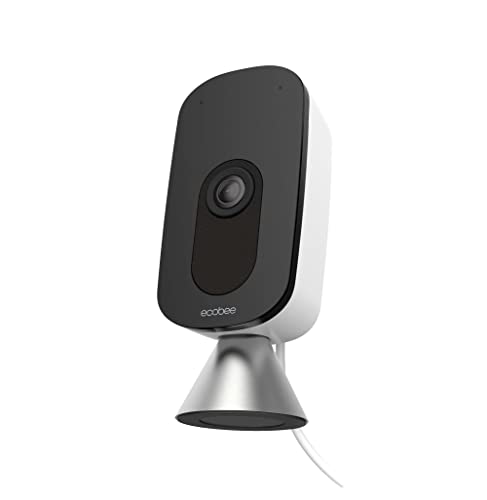
ecobee SmartCamera Indoor WiFi Security Camera, 1080p HD |
- ✓ Wide 180º field of view
- ✓ True 1080p clarity
- ✓ Reliable person detection
- ✕ Requires Smart Security plan
- ✕ Not the cheapest option
| VideoQuality | 1080p HD |
| FieldOfView | 180° with auto pan and zoom |
| DetectionAndNotifications | Motion and person detection with selective notifications |
| VideoHistory | 30 days |
| SecurityFeatures | On-device processing, end-to-end encryption, smoke alarm detection |
| SmartHomeIntegration | Alexa Built-in and Apple HomeKit compatibility; two-way audio via built-in far-field speakers |
You discover it in a corner of the room, and the first thing that grabs you isn’t the 1080p feed—it’s the 180-degree view that actually fills the frame without you tilting your head. I was surprised how quickly the camera caught the edge of the hallway, even when I stood to the side.
It felt like seeing around a corner, not just peekaboo footage.
Setup was friendlier than I expected. The auto pan and zoom stayed smooth, dialing in on a person without pinging every passing shadow.
Night mode isn’t just bright; it preserves faces clearly enough to recognize who’s at the door from a couch distance.
The notifications are the real win here. It actually distinguishes a person in the frame, so you’re not shoveling through random motion alerts at 3 a.m.
And when something happens, the 30-day history lets you trace what went down without sprinting to a cloud backlog.
Two-way talk feels natural, with the built-in far-field mic and speaker making conversations feel direct rather than delayed. I tried calling a family member and the delay was negligible, which matters when you need to warn someone about a package or just say hi.
Privacy is a selling point you’ll notice in practice. The camera can shut off automatically when family members arrive, and on-device processing plus end-to-end encryption give you a calmer mind.
It’s reassuring to know the feed isn’t endlessly streaming to a server you’re not sure you trust.
Alexa Built-in is handy, especially if your desk is cluttered and your voice is louder than your footstep. It’s simple to pull up the feed or check motion without grabbing your phone, which makes quick checks genuinely quick.
Day-to-day, it fits into a broader smart setup, working with HomeKit too, so you can keep a consistent routine across devices. The trade-off you’ll feel is the optional ecobee Security subscription for full features, but even with that, it’s a solid companion for home monitoring.
In short, it’s a capable indoor camera that doesn’t complicate your life. If you want reliable motion sensing, clear day and night video, and easy voice control, this one earns a second glance.
What Are the Key Features That Make an Alexa News Feed Effective?
The key features that make an Alexa news feed effective include:
- Personalization: An effective news feed tailors content to the user’s interests and preferences, ensuring that the information delivered is relevant and engaging. This can be achieved by analyzing listening habits, favorite topics, and previous interactions, allowing for a customized news experience that resonates with the user.
- Timeliness: The news feed should provide the latest updates and breaking news in real-time, keeping users informed about current events as they happen. This feature is crucial for maintaining user engagement and ensuring that the information remains fresh and relevant.
- Conciseness: An effective news feed delivers information in a succinct and clear manner, allowing users to quickly grasp the main points without overwhelming them with excessive detail. This helps maintain listener attention and makes it easier for users to absorb the news quickly.
- Variety of Sources: Incorporating a diverse range of news sources enhances the richness of the news feed, offering multiple perspectives on events and issues. This feature encourages critical thinking and provides users with a more comprehensive understanding of the news landscape.
- Voice Activation and Control: The ability to control the news feed through voice commands adds convenience and accessibility, allowing users to request specific topics or skip unwanted segments. This feature enhances user experience by providing hands-free interaction, making it easier to consume news while multitasking.
- Integration with Other Skills: An effective Alexa news feed can integrate with other skills and services, such as weather updates, traffic reports, and calendar reminders, creating a holistic information hub. This integration enriches the user experience by providing context and additional relevant information alongside the news.
- Feedback Mechanism: Allowing users to provide feedback on the news content helps refine and improve the feed over time. This feature enables the system to adapt to changing preferences and enhances user satisfaction by ensuring the news feed remains aligned with user expectations.
How Can You Integrate Various News Sources into Your Alexa Feed?
Integrating various news sources into your Alexa feed can enhance your daily updates and provide a more personalized listening experience.
- Enable News Skills: Alexa allows users to enable various news skills from different publishers and platforms, such as NPR, BBC, or CNN. By going to the Alexa app and browsing the skills section, you can find and activate these sources, allowing Alexa to provide updates from your preferred outlets.
- Customize Flash Briefing: The Flash Briefing feature lets you curate a selection of news sources that will play when you ask Alexa for news. You can select up to 10 different news sources, ensuring that the information you receive is tailored to your interests, from local news to international updates.
- Use Routines for Specific Updates: Alexa Routines can be set up to deliver specific news updates at designated times. For instance, you can create a routine that plays your Flash Briefing every morning at 7 AM, integrating updates from multiple news outlets into your daily schedule effortlessly.
- Integrate Podcasts and Newsletters: Many podcasts and audio newsletters can be linked to your Alexa, providing a unique way to get news. By enabling specific podcast skills or linking audio newsletters, you can expand your news feed to include in-depth discussions and analyses on current events.
- Connect Third-Party News Apps: Some third-party applications can be integrated with Alexa, allowing you to access customized news feeds. Services like Bloomberg or Reuters might offer skills that you can enable, providing financial or business news that caters to your professional interests.
What Major News Outlets Offer Alexa Skills for News Delivery?
Several major news outlets have developed Alexa skills for efficient news delivery:
- The New York Times: This skill provides users with curated news briefings from one of the most prestigious newspapers in the world. Users can listen to daily news summaries, feature stories, and even articles read aloud, which allows for an engaging way to stay updated on current events.
- NPR: The NPR Alexa skill offers a personalized news experience by allowing users to listen to their favorite NPR programs and podcasts. In addition, it provides hourly news updates, ensuring that users are informed about the latest national and international stories.
- BBC News: With the BBC News skill, users can access the latest headlines and in-depth analysis from a global perspective. The skill features various categories, such as world, business, and technology news, making it easy for users to get tailored updates based on their interests.
- Reuters: The Reuters Alexa skill delivers breaking news and top stories from around the globe. Users can ask for specific topics, which allows for a customized listening experience, and they also have the option to receive news updates on demand.
- ABC News: This skill provides a comprehensive overview of the day’s top stories, along with live updates on breaking news. Users can listen to audio news briefs and get access to special reports, making it a great choice for those who want to stay informed throughout the day.
- Fox News: The Fox News skill offers users the ability to listen to the latest headlines and commentary from a conservative viewpoint. It features live news updates and allows users to request specific shows, ensuring they receive content that aligns with their preferences.
- Bloomberg: Bloomberg’s Alexa skill focuses on financial news and market updates. It provides users with timely information about stock prices, economic trends, and business news, making it particularly useful for investors and those interested in the financial sector.
How Can You Include Local News Providers in Your Alexa News Feed?
Incorporating local news providers into your Alexa news feed can enhance its relevance and keep you updated on community happenings. Here are some strategies to achieve this:
- Enable Local News Settings: Access Alexa settings and enable local news options to prioritize news from nearby sources.
- Add Local News Skills: Search for and enable specific local news skills in the Alexa app to receive tailored updates.
- Customize Flash Briefing: Edit your Flash Briefing settings to include local news sources alongside national headlines.
- Use Routines: Create Alexa routines that specifically include local news updates as part of your daily briefing.
- Connect with Local Stations: Look for partnerships or integrations with local news stations that might offer a dedicated skill for news delivery.
Enable Local News Settings: By navigating to the settings in your Alexa app, you can adjust the local news preferences to focus on outlets that are geographically closer to you. This ensures that Alexa prioritizes and presents news that is more relevant to your immediate community.
Add Local News Skills: Within the Alexa app, you can search for news skills that are specific to your local area, such as local radio stations or news websites. Enabling these skills allows you to access curated news content directly from those sources whenever you ask Alexa for news updates.
Customize Flash Briefing: The Flash Briefing feature lets you select multiple news sources for your daily briefing. By adding local news providers to this list, you can seamlessly integrate local stories with national and international news, creating a more comprehensive news feed.
Use Routines: Alexa routines allow you to automate tasks, including news updates. By setting up a routine that includes local news, you can ensure that your Alexa device delivers important community news at specific times, enhancing your awareness of local events.
Connect with Local Stations: Many local news stations may offer their own Alexa skills or have partnerships with Alexa to deliver news updates. By finding and enabling these specific skills, you can receive tailored content that reflects local interests and happenings, making your news feed even more personalized.
In What Ways Can You Customize Your Alexa News Feed Experience?
The best Alexa news feed can be customized through various options that enhance the personalization and relevance of the news you receive.
- Choose Your News Sources: You can select which news providers you want Alexa to pull updates from, such as CNN, BBC, NPR, or local news stations. This allows you to tailor your news feed to include only the outlets you trust and prefer, ensuring a more personalized experience.
- Set Up Flash Briefings: Alexa’s Flash Briefing feature enables you to create a summary of news updates from your chosen sources. You can customize the order in which these briefings are presented, allowing you to prioritize the topics that matter most to you.
- Topic Preferences: Alexa allows you to indicate your interests in specific topics such as technology, sports, or politics. By doing so, Alexa will prioritize these topics in your news feed, ensuring you receive updates that align with your interests.
- Daily News Briefing Schedule: You can schedule when you want Alexa to deliver your news updates, such as in the morning or evening. This lets you integrate news consumption seamlessly into your daily routine, receiving information at times that suit you best.
- Voice Commands for Updates: You can customize your news experience further by using voice commands to request specific news updates on demand. This feature allows for a more interactive experience, as you can ask for updates on particular topics or breaking news as desired.
- Feedback on News Content: Providing feedback on the news content you receive can help Alexa refine the type of news it delivers. By indicating whether you liked or disliked specific segments, you enable Alexa to better understand your preferences over time.
What Voice Commands Are Best for Tailoring Your News Updates?
The best Alexa voice commands for tailoring your news updates can significantly enhance your news consumption experience.
- “Alexa, what’s my news?” This command prompts Alexa to deliver a customized news briefing based on your preferences. You can set up your news sources in the Alexa app, allowing Alexa to curate updates from your favorite outlets, ensuring you stay informed about topics that matter to you.
- “Alexa, give me the latest news on [topic].” By specifying a particular topic, this command allows you to receive focused updates. Whether it’s politics, technology, sports, or entertainment, Alexa will fetch the latest news articles, helping you stay updated on your interests without sifting through unrelated content.
- “Alexa, tell me the news from [specific source].” This command directs Alexa to provide news updates from a specific outlet, like NPR, BBC, or CNN. This is especially useful for those who prefer the editorial style or coverage of certain news organizations, ensuring that the information aligns with your preferences.
- “Alexa, give me a summary of today’s news.” Using this command will prompt Alexa to provide you with a brief overview of significant news stories. This is ideal for listeners who want quick updates without delving into detailed reports, perfect for busy mornings or short breaks.
- “Alexa, add [news source] to my Flash Briefing.” This command allows you to customize your Flash Briefing by adding new sources. By doing so, you can continually refine your news experience, ensuring that you receive updates from all your preferred channels in one concise briefing.
- “Alexa, skip this story.” If a news story doesn’t interest you, this command lets you skip to the next item in your news briefing. This feature enhances user control over the content, allowing you to tailor your listening experience in real time.
How Can You Prioritize News Categories to Suit Your Interests?
Time Management: By designating specific times for different news categories, such as morning sports updates or evening political news, you can manage your news consumption effectively. This strategy can help you maintain a balanced perspective while ensuring you stay engaged with the topics you care about most.
What Benefits Can You Expect from Using an Alexa News Feed?
Using an Alexa news feed can provide several benefits that enhance your daily information consumption.
- Personalized News Updates: Alexa can customize news briefings based on your interests, ensuring that you receive relevant updates that matter to you. This feature allows you to select specific news sources or topics, tailoring the experience to fit your preferences.
- Convenience and Accessibility: With voice commands, accessing news via Alexa is incredibly convenient, allowing for hands-free operation. Whether you’re cooking, working, or relaxing, you can easily request news updates without needing to look at a screen.
- Real-Time Information: Alexa provides timely updates on breaking news, ensuring you stay informed about current events as they unfold. This immediacy is crucial for staying updated on significant developments in politics, weather, and more.
- Multi-Source Integration: Alexa can pull news from various sources, giving you a well-rounded perspective on different topics. By integrating multiple news outlets, you can avoid echo chambers and receive diverse viewpoints on the same issue.
- Daily Briefings and Summaries: You can set up daily news briefings that summarize the most important stories, saving you time while keeping you informed. This feature helps you quickly grasp key developments without having to sift through lengthy articles.
- Hands-Free Updates During Activities: Alexa allows you to listen to news updates while performing tasks like driving or exercising, ensuring you remain informed without distraction. This capability promotes multitasking, allowing you to stay engaged with the news even when your hands are busy.
What Are Some Alternatives to the Alexa News Feed?
There are several alternatives to the Alexa news feed that provide different news aggregation and delivery methods.
- Google News: A highly customizable news aggregator that uses algorithms to curate articles based on user preferences and reading habits.
- Apple News: An app that offers a wide variety of news sources and allows users to follow topics of interest, providing a personalized news experience.
- Feedly: A popular RSS feed reader that allows users to subscribe to their favorite news sources, blogs, and websites, organizing content in a user-friendly format.
- Flipboard: A visual news aggregation platform that creates personalized magazines from selected topics, websites, and social media feeds.
- Microsoft Start: A news aggregation service that curates a personalized feed from a variety of sources based on user interests and browsing history.
Google News: This platform aggregates news articles from various sources and uses machine learning algorithms to tailor the news feed to your interests. Users can explore trending stories, local news, and even specific topics, making it a flexible alternative to Alexa’s offerings.
Apple News: Available on Apple devices, this app provides a rich selection of news articles from major publishers and independent sources. Users can set preferences to receive updates on topics they care about, ensuring a tailored news experience.
Feedly: This service allows users to curate their news feed by subscribing to their favorite websites and blogs through RSS feeds. It is particularly useful for avid readers who want to follow niche topics and streamline their news consumption in one place.
Flipboard: Known for its magazine-like interface, Flipboard allows users to create personalized magazines by selecting topics of interest. It pulls articles from various sources and presents them in a visually appealing format, combining social media and news in one platform.
Microsoft Start: This service offers a personalized news feed based on user interests and interactions with Microsoft products. It aggregates content from various trusted sources and presents it in a user-friendly manner, adapting to the reader’s preferences over time.
Related Post: